
Toss your files. Converted instantly.
Dynamic macOS file transformation utility. Window automatically morphs to match whatever you drop: Video, Audio, Images, PDF Studio, or Code Card Studio. Powered by Apple Metal GPU and VideoToolbox. Zero cloud uploads.
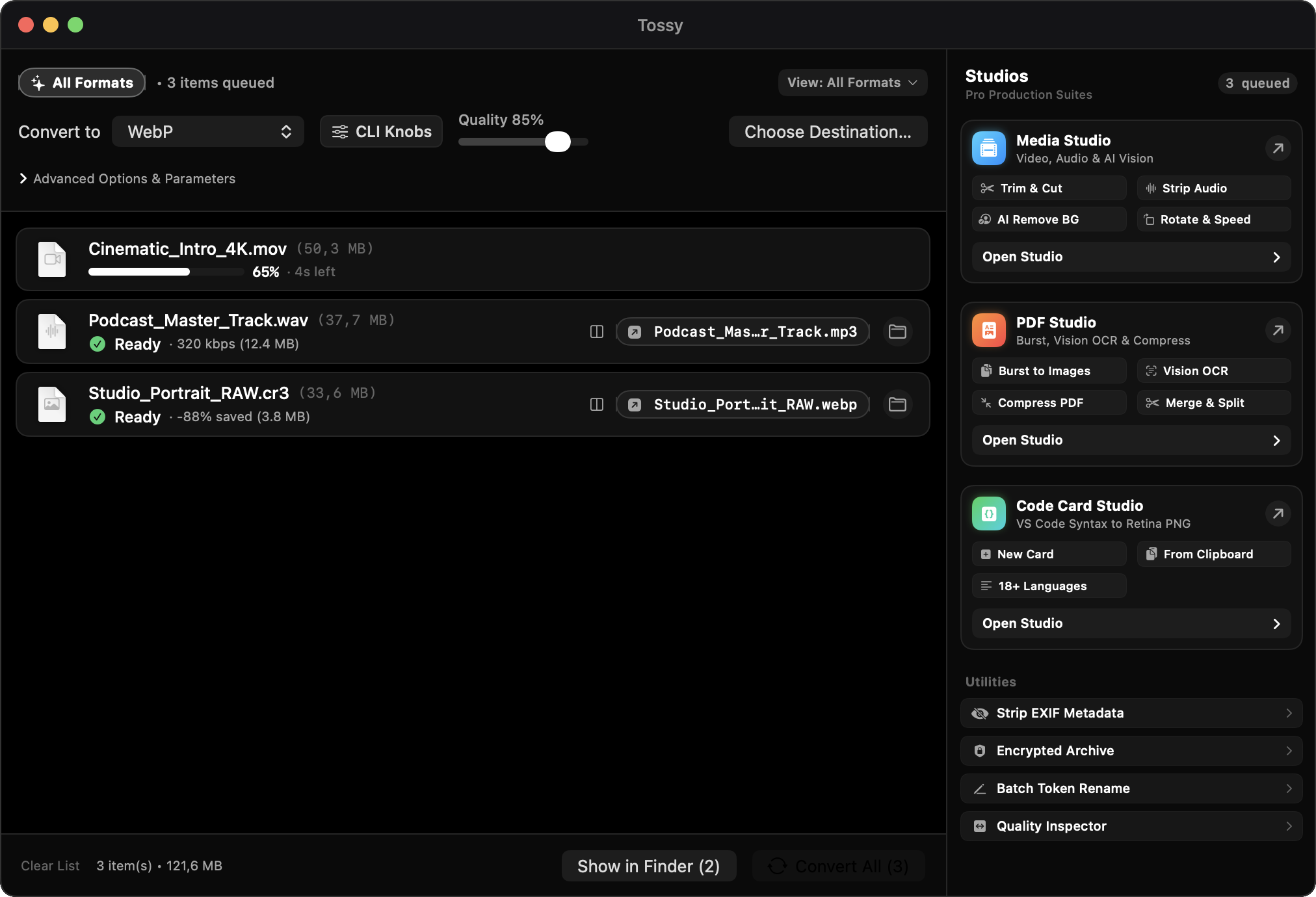
Adapts to whatever you drop.
Drop a single file or a mixed directory. Tossy identifies content types and exposes the exact knobs needed for that workload.
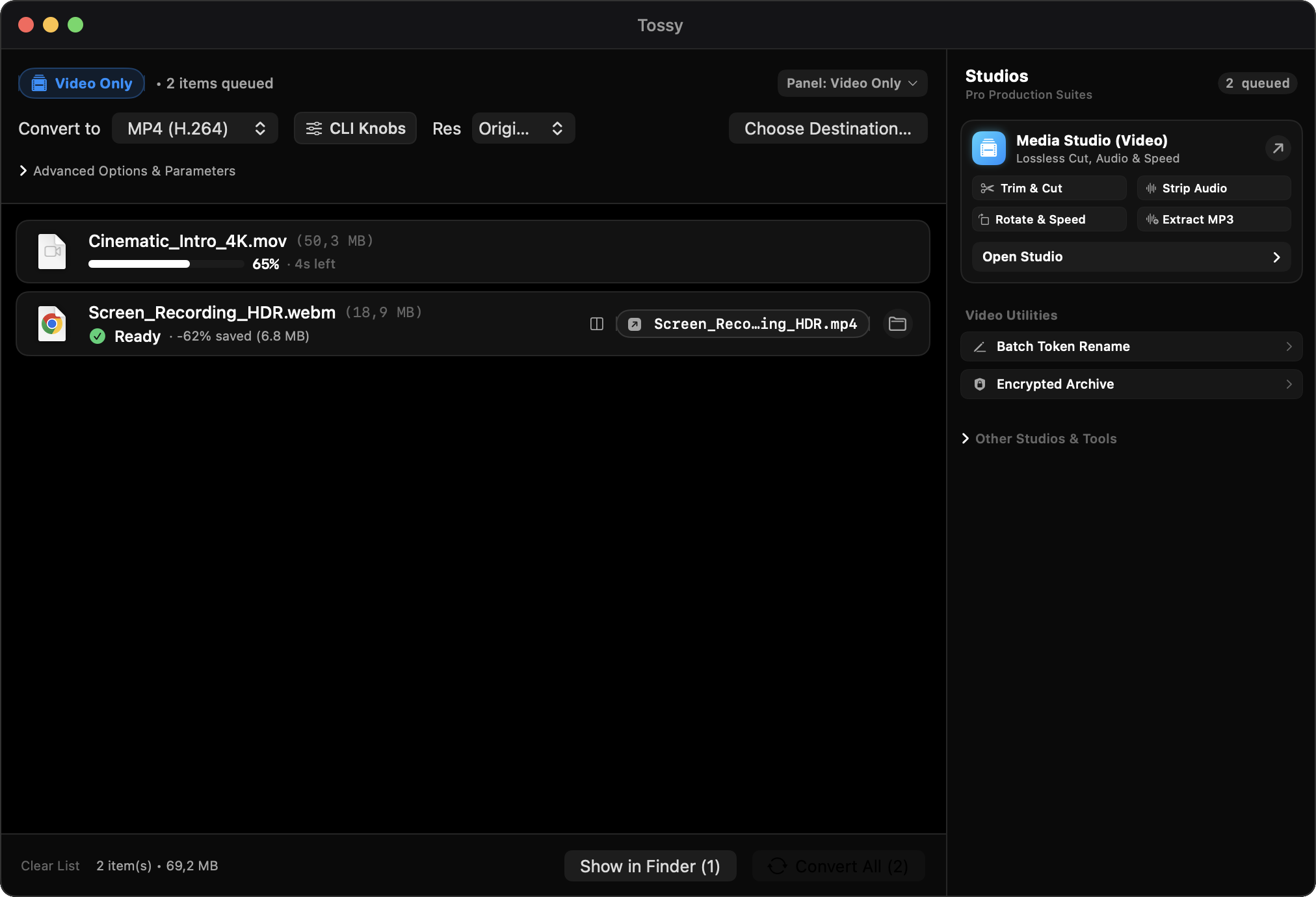
Dedicated Video Conversion Panel
H.264, HEVC, ProRes, MKV, WebM, and Animated GIF. Target size compression, CRF quality sliders, custom dimensions, and Apple Silicon hardware acceleration.
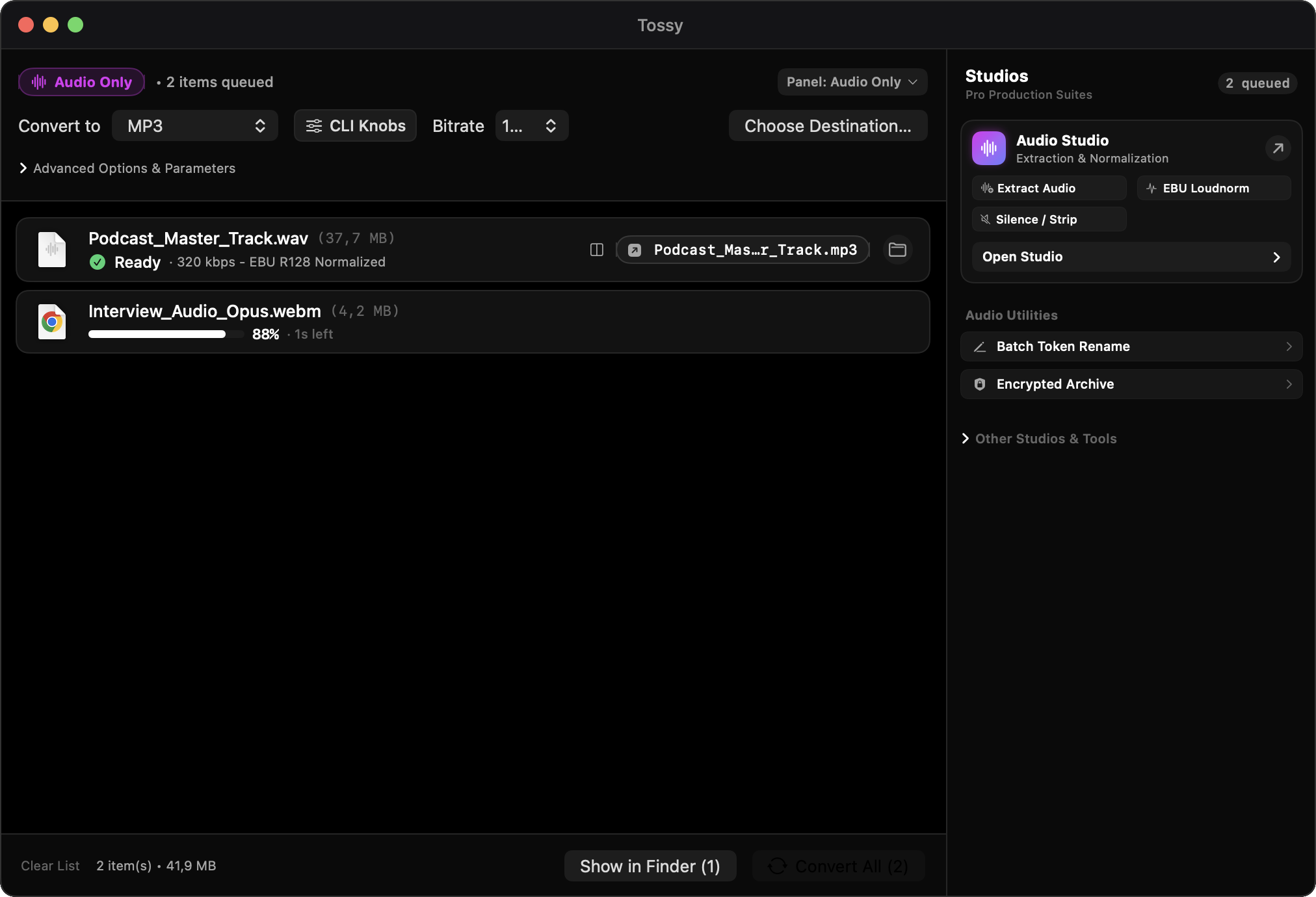
Studio Audio Transcoding
MP3, AAC, FLAC, ALAC, WAV, OGG, and Opus. Bitrate selection from 64 to 320 kbps, CBR/VBR modes, and broadcast-standard EBU R128 loudness normalization.
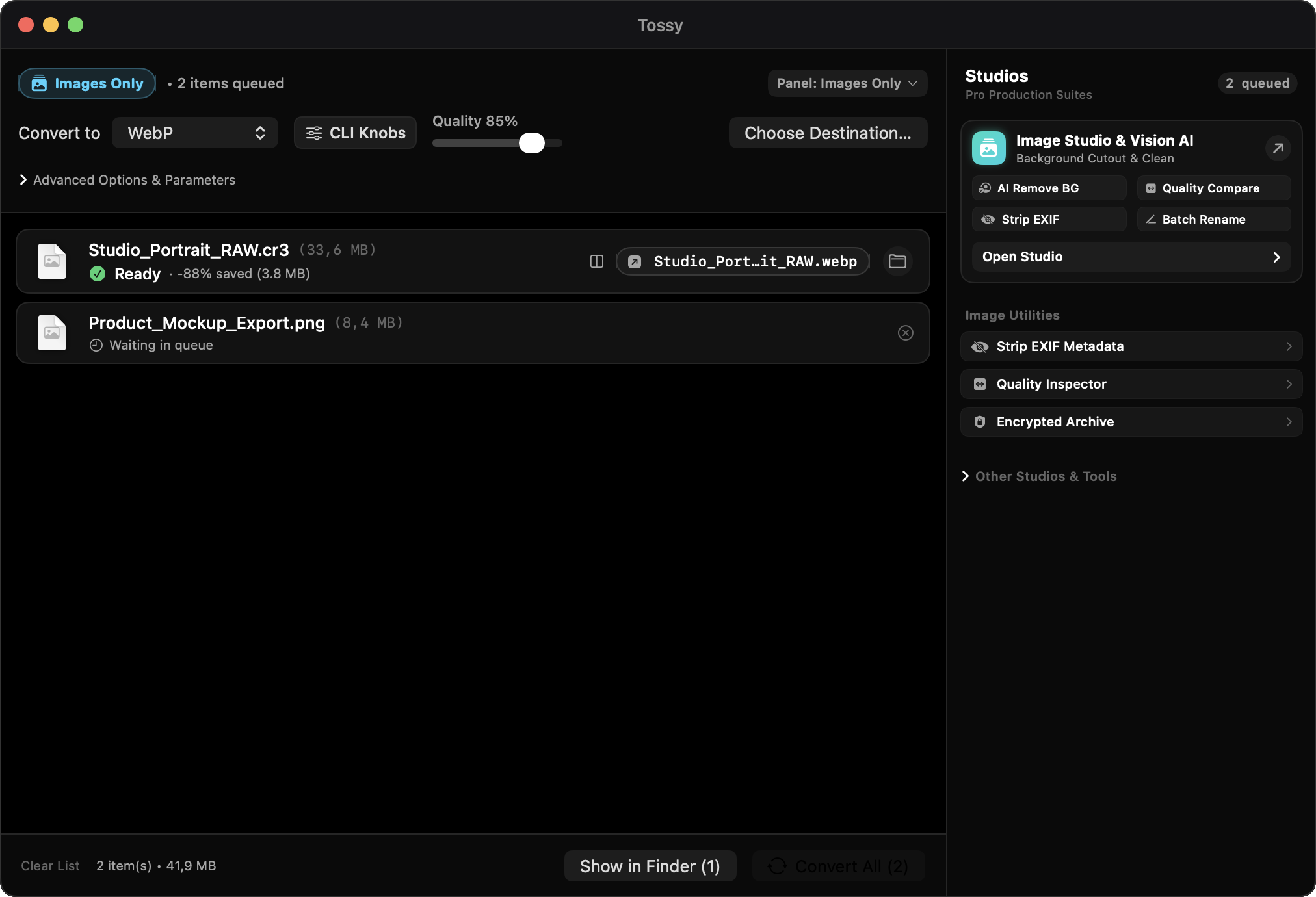
Metal-Powered Image Engine
HEIC, RAW camera files, WebP, AVIF, PNG, and JPEG. Native Vision background removal, quality percentage controls, and target megabyte fitting.
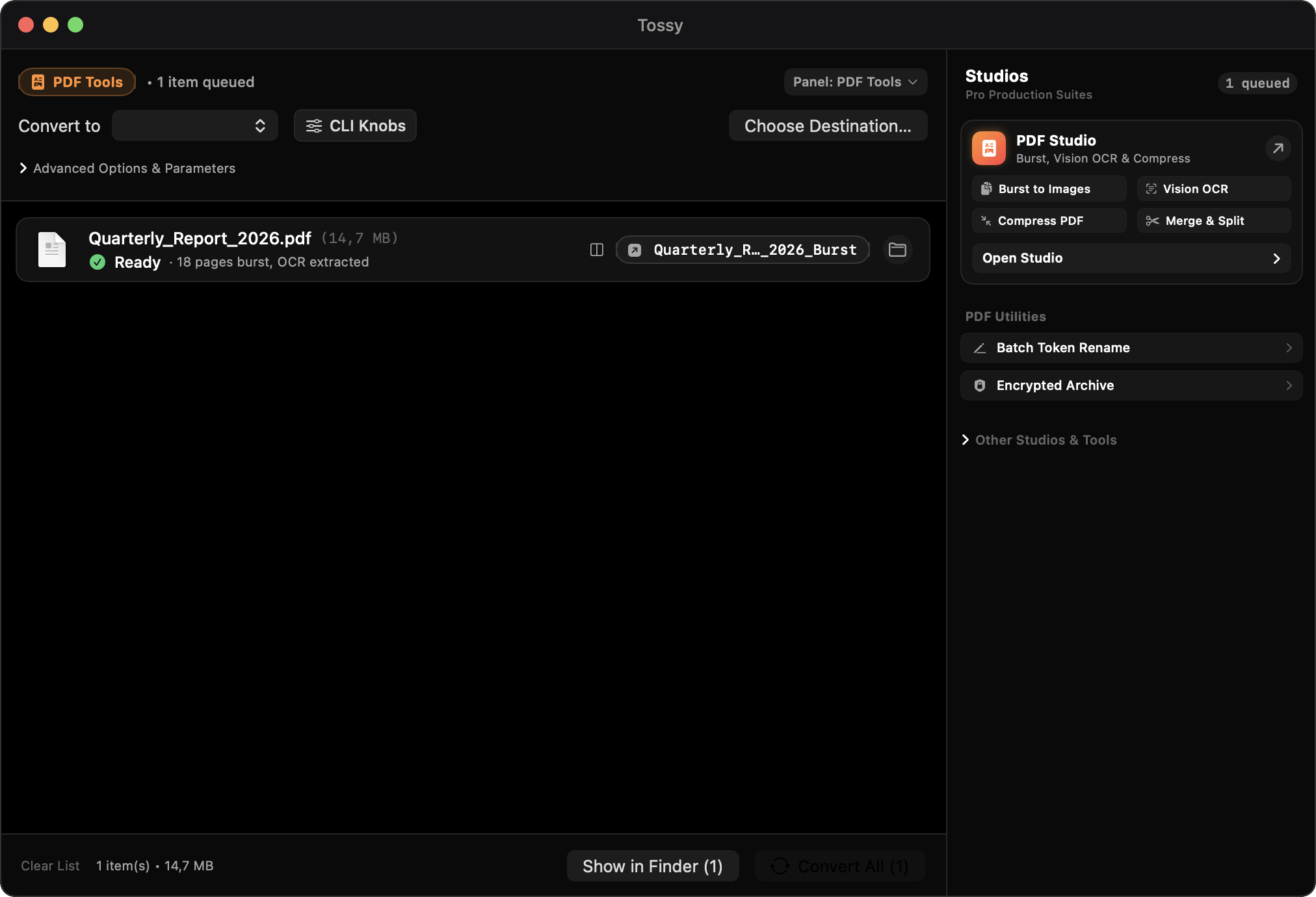
Document OCR and Compression
Burst multi-page documents to single images, split page intervals, perform Quartz filter size reduction, and extract text via Apple Vision OCR.
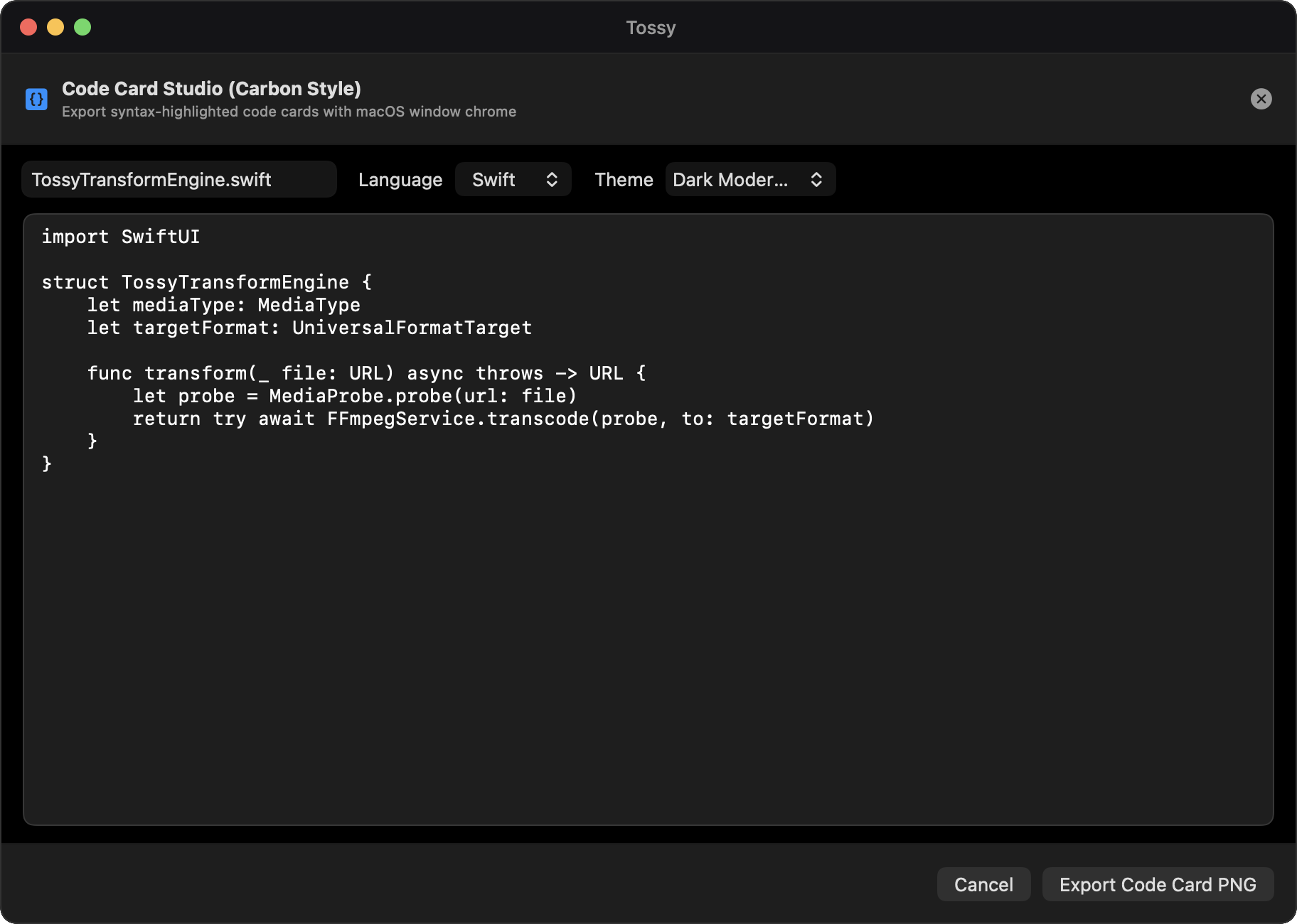
Carbon-Style Code Snippet Cards
Drop in Swift, Python, Rust, JavaScript, or JSON. Renders Dracula syntax highlighting with native titlebar chrome and exports to crisp Retina PNG.
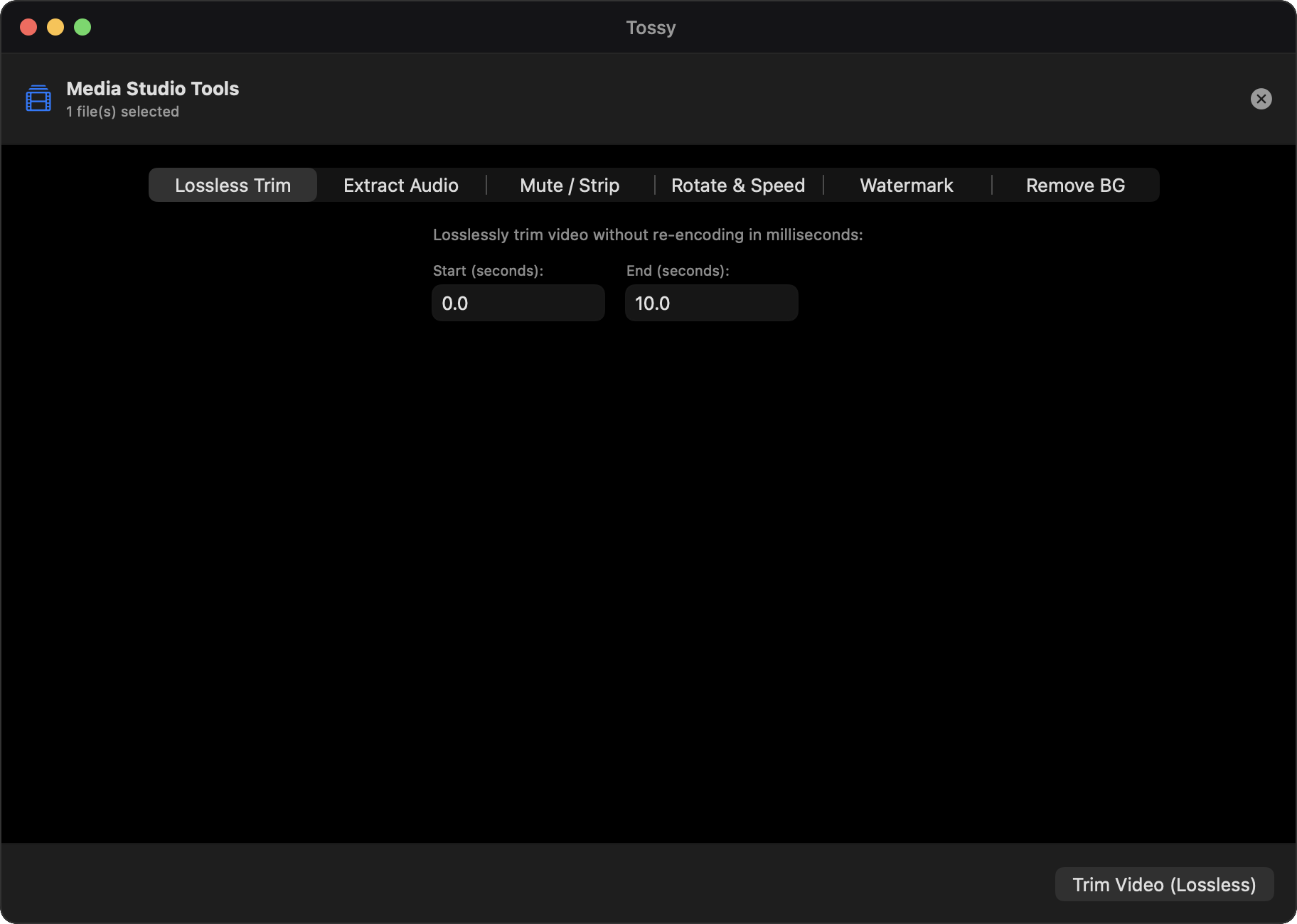
Lossless Video Trimmer
Scrub video timelines with precision playhead controls. Export trimmed subclips losslessly using stream copy without re-encoding quality degradation.
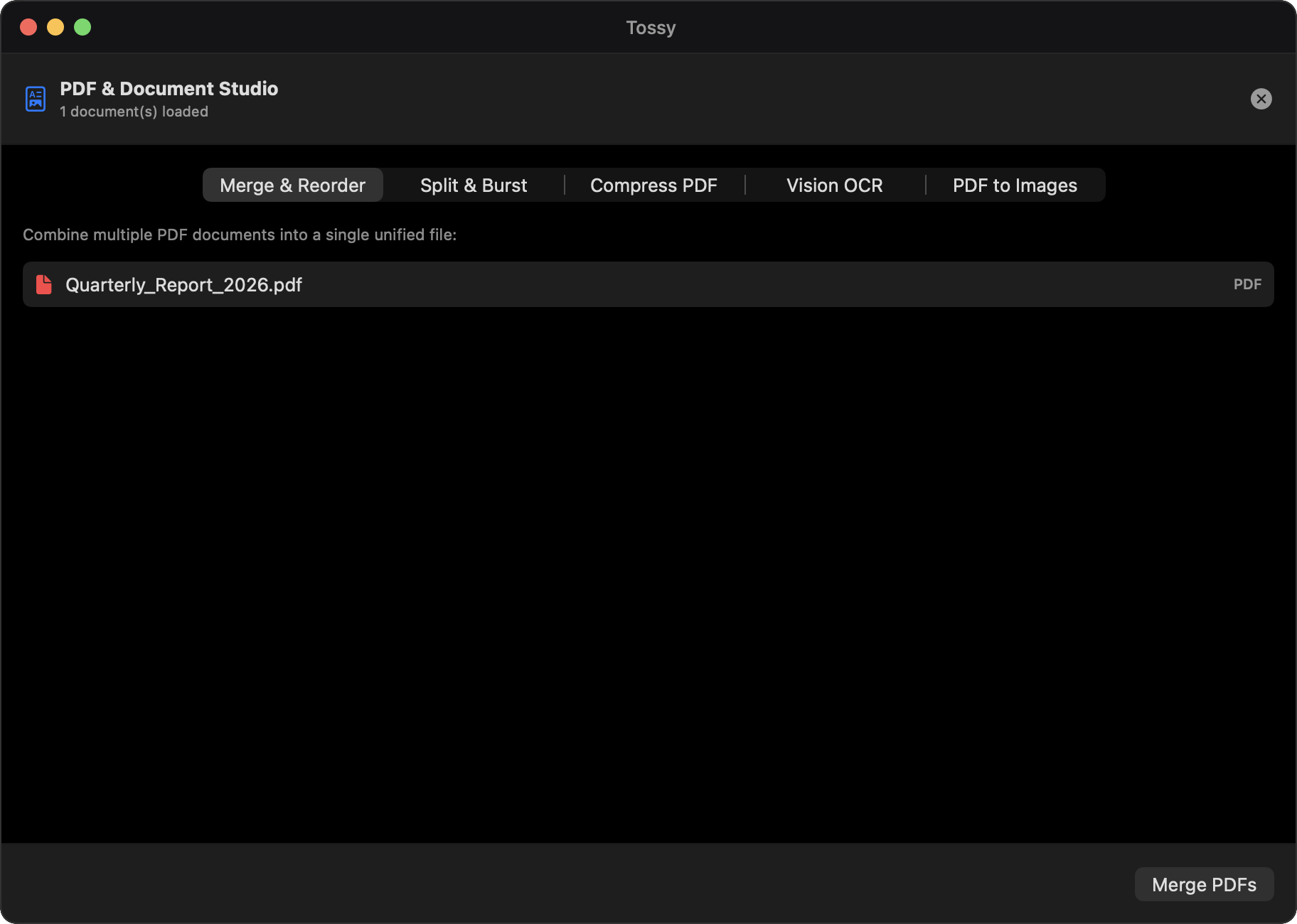
PDF Document Assembly
Merge multiple PDF files into unified documents, extract arbitrary page segments, and reorder sheets with fast native Quartz rendering.
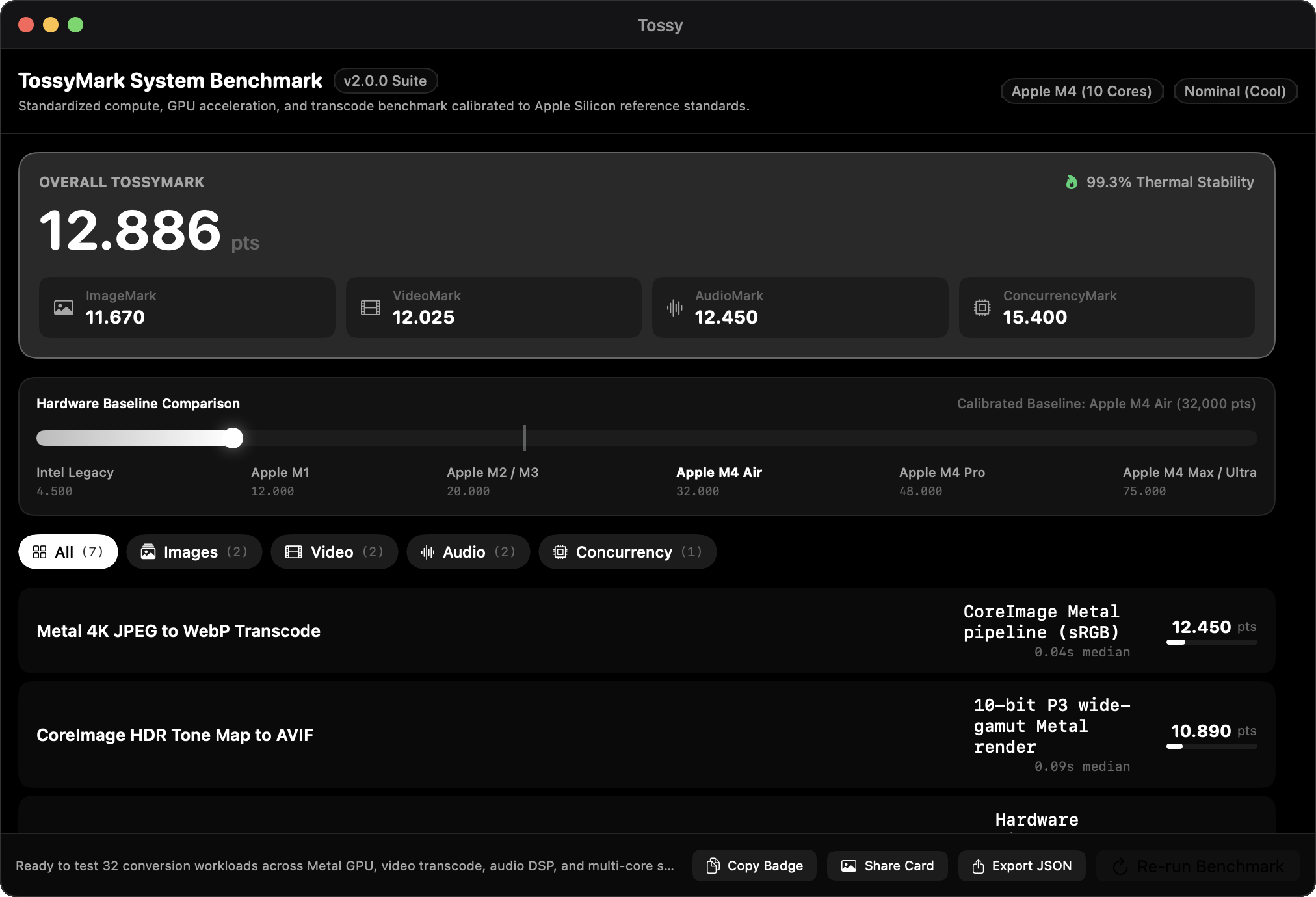
TossyMark System Throughput Scoring
Measures raw storage read-write pipelines, Metal GPU shader throughput, and VideoToolbox encoder frames-per-second against calibrated Mac baselines.
Engineered for speed, privacy, and precision.
No terminal commands. No cloud uploads. No external dependencies. Tossy bundles hardware pipelines directly into your macOS workflow.
Dynamic Window Morphing
Drop files onto Tossy and the application dynamically configures its workspace. Media files open video and audio conversion panels; code snippets trigger Code Card Studio; multi-type drops summon the Universal Canvas.
Apple Metal & VideoToolbox
H.264, HEVC, and ProRes encoding runs directly on Apple Silicon media engines. Color adjustments, watermarks, and image scaling execute on Metal shaders for real-time throughput.
Zero Network Telemetry
All operations execute locally on your physical machine. Files never travel over the network to third-party servers. Your sensitive videos, invoices, and source code stay private.
Bundled Binaries
Zero prerequisite installations. Bundled standalone ffmpeg, libwebp, and libjxl binaries reside inside the application bundle. No Homebrew or command-line setup required.
Target Megabyte Fitting
Need a video clip under 25MB for Discord or 10MB for email? Tossy analyzes duration and dynamically calculates optimal video bitrates to fit exact file-size caps.
Code Card Studio
Create presentation-ready code cards with Dracula syntax highlighting, line numbers, custom margins, and native macOS window frames. Export to double-resolution 2x Retina PNGs.
Open Source Repository
Inspect the full Swift codebase, build from Xcode, or contribute improvements. Licensed under GPL-3.0 for complete transparency.
- Swift 5.10 & SwiftUI native UI
- AVFoundation & VideoToolbox pipelines
- Core Image Metal processing
- Apple Vision framework OCR
Tossy 2.0.0 Standalone ZIP
Precompiled, signed binary archive. Unpack and drag directly into your Applications folder. No installer package or disk image mounting required.
- Dynamic file-type detection window
- Universal Canvas with batch token renaming
- Lossless video trimmer and stem extraction
- Bundled standalone ffmpeg utility
How Tossy compares
| Capability | Tossy 2.0.0 | Online Converters | HandBrake | Terminal ffmpeg |
|---|---|---|---|---|
| Local Privacy | 100% Offline | Files Uploaded to Cloud | Offline | Offline |
| Dynamic Window Detection | Auto-morphs per file type | Manual upload form | Video only | Manual CLI flags |
| Apple Silicon Acceleration | VideoToolbox & Metal | Remote server queues | VideoToolbox | Manual configuration |
| Target MB Size Search | Automatic binary search | Rare or paid tier | Manual calculation | Multi-pass shell script |
| Code Card PNG Studio | Built-in Retina exporter | Separate web tool | Not supported | Not supported |
| PDF OCR & Assembly | Apple Vision OCR built-in | Paid monthly tier | Not supported | Requires tesseract |
| Dependencies | Zero: bundled binaries | Web browser | Application bundle | Homebrew and 40+ libraries |
| Pricing & License | Free & GPL-3.0 | Subscription or paywalls | Free & GPL | Free & GPL / LGPL |
Frequently asked questions
Is Tossy completely free?
Yes. Tossy is free and open source software under the GNU General Public License v3.0. There are no subscriptions, paywalls, accounts, or tracking scripts.
Does Tossy send data over the internet?
Never. Every conversion, optical character recognition task, and video trim executes entirely on your local Mac processor, GPU, and media engine.
How does dynamic window detection work?
When you drag a file into Tossy, the window inspects its MIME type and extension. Dropping a video presents the video panel; dropping audio isolates audio knobs; dropping code triggers Code Card Studio; mixed batches open the Universal Canvas.
Do I need Homebrew or ffmpeg installed?
No. Tossy bundles dedicated, self-contained binaries for ffmpeg, WebP, and JPEG XL inside its application bundle, running independently without external packages.
What versions of macOS are supported?
Tossy supports macOS 14 Sonoma and macOS 15 Sequoia on both Apple Silicon (M1, M2, M3, M4) and Intel hardware architectures.
Can I compress videos for email or messaging limits?
Yes. In the Advanced controls, enter a target megabyte threshold like 25MB. Tossy runs an iterative search to find the highest bitrate that guarantees the final output fits.
Convert anything. Keep your files private.
Get Tossy 2.0.0 for macOS. Portable standalone distribution with zero dependencies and no installer required.